Features

What SignScribe does.

Sign layout, road lettering, construction drawings, CAD, message signs and airport signs, for Australia and New Zealand. Every picture on this page is captured from SignScribe 2026.

Sign layout

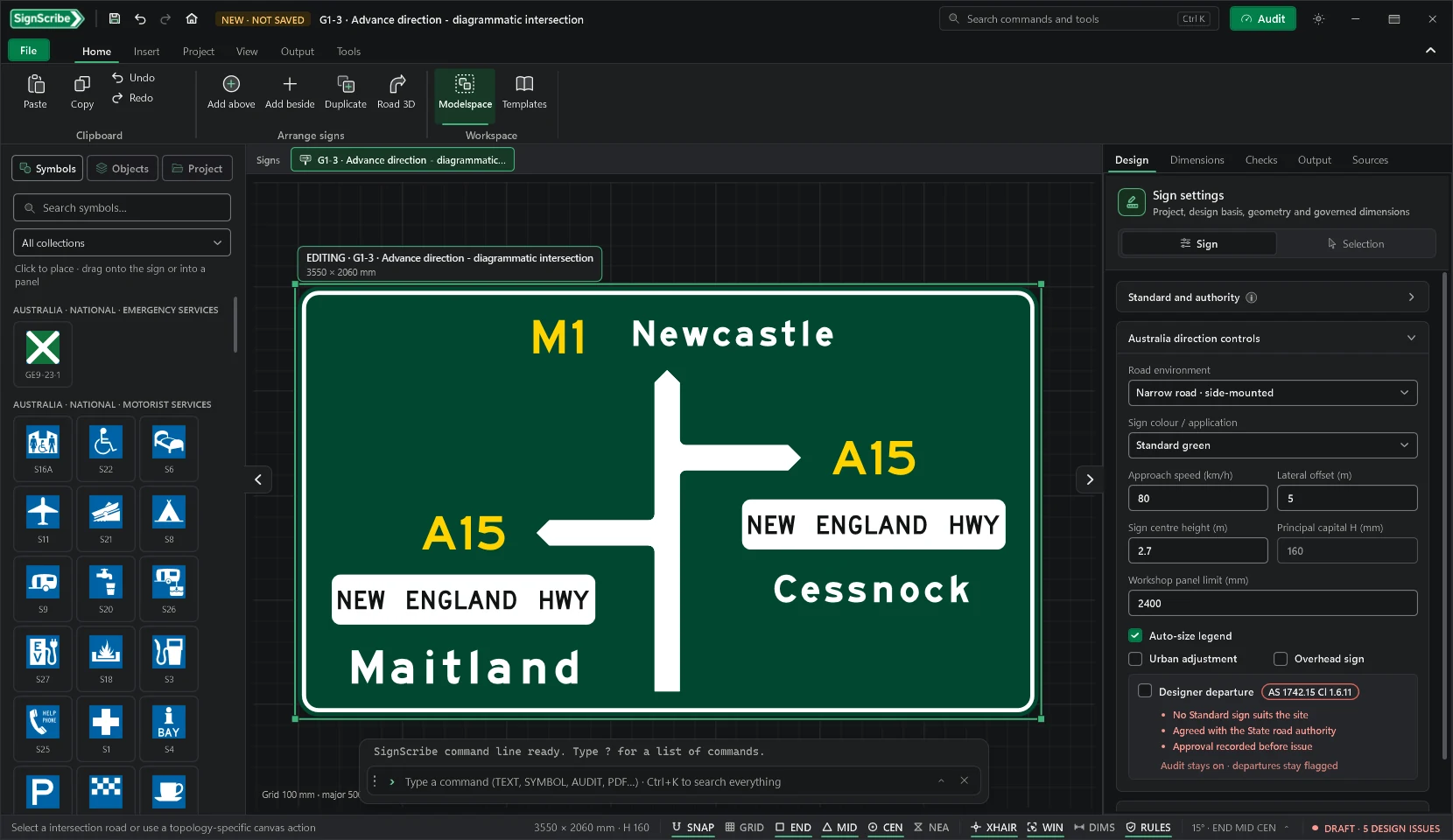
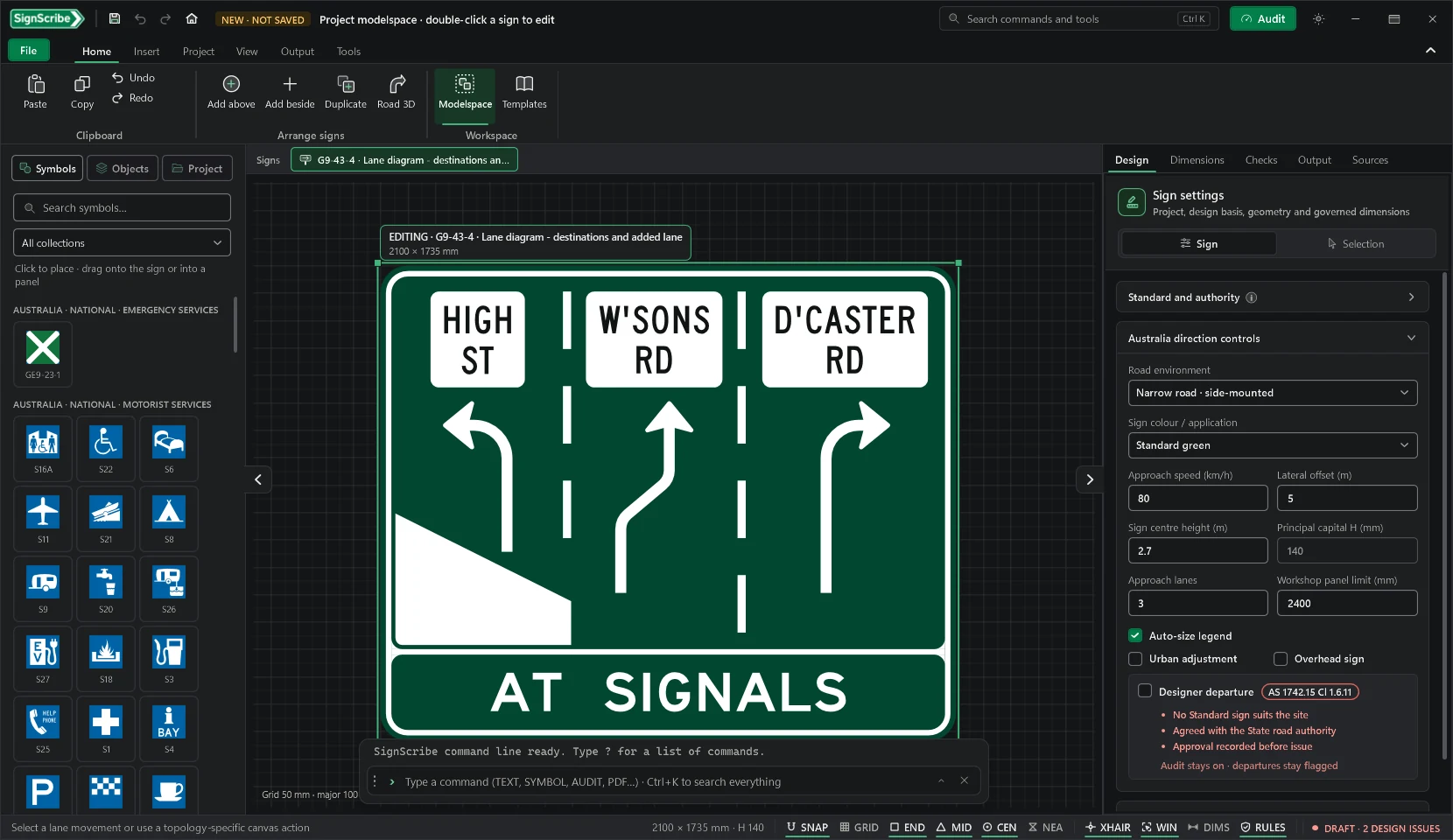
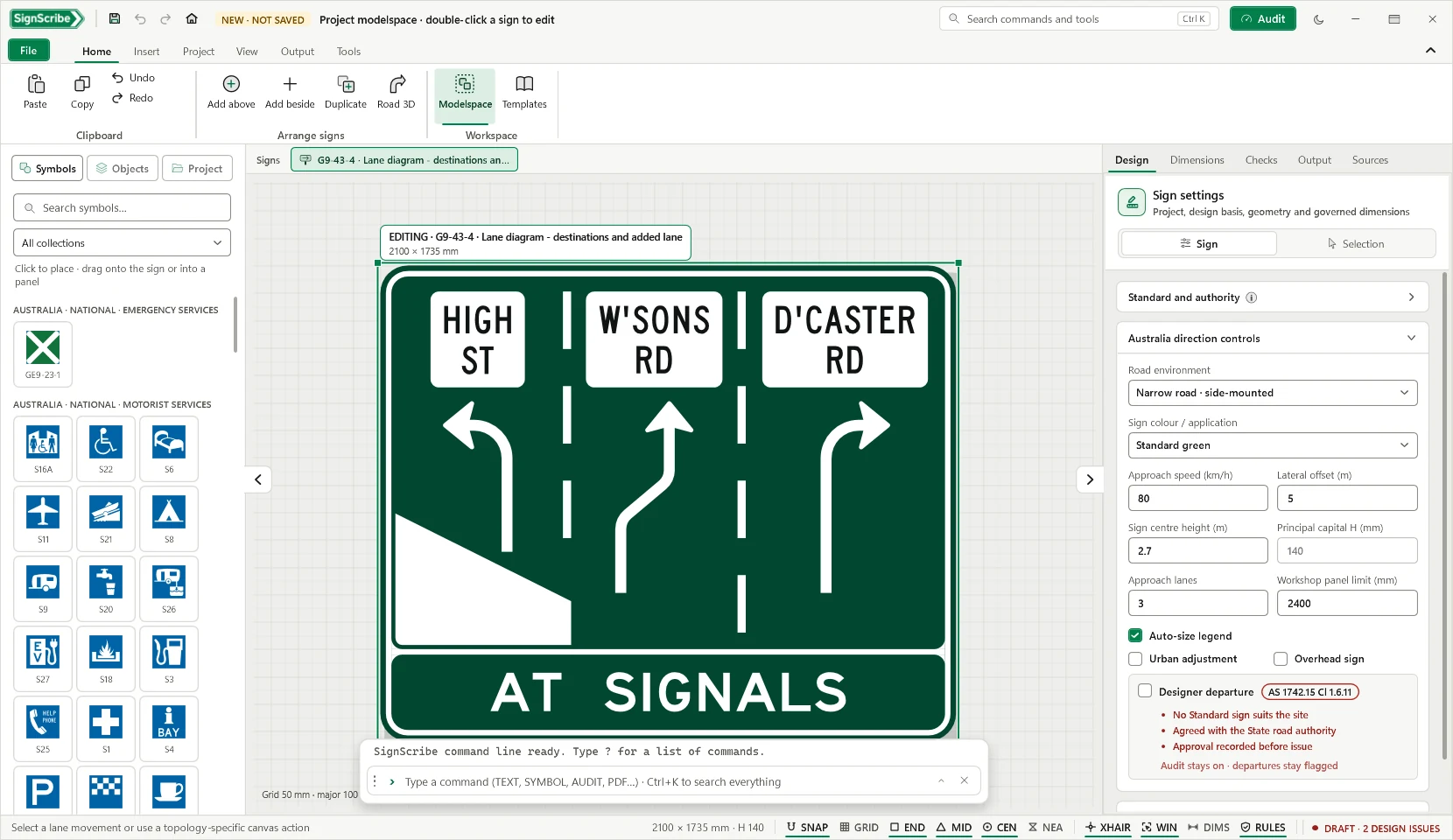
Edit the road diagram and the legends together.

Roads, exits, ramps and lane movements stay attached to the layout. Move one and the face, the legend positions and the dimensions follow.

Governed construction

Borders, gaps, arrow forms and legend spacing come from the sign family's rules, for Australian states and New Zealand.

Live audit

Every edit is checked as you make it. Findings name the rule and point at the part of the sign they concern.

Symbols and panels

Drop service, tourist and route symbols onto the sign or into a panel; panels resize to fit their contents.

Australia and New Zealand

Two countries, each with its own rules.

SignScribe carries a complete rule set for each country, not one adapted from the other. Pick the jurisdiction and the templates, lettering, colours, checks and drawing notes follow it.

Australia

AS 1742 and AS 1743, state by state.

  • AS 1742.15 direction signs and the full AS 1743 sign library
  • National and state or territory road-authority profiles
  • Route shields, road-name patches and the ANZ road series B to F
  • Australian VMS device profiles and state pixel-alphabet sources
  • Airport signs to CASA Part 139 MOS, including LAHSO
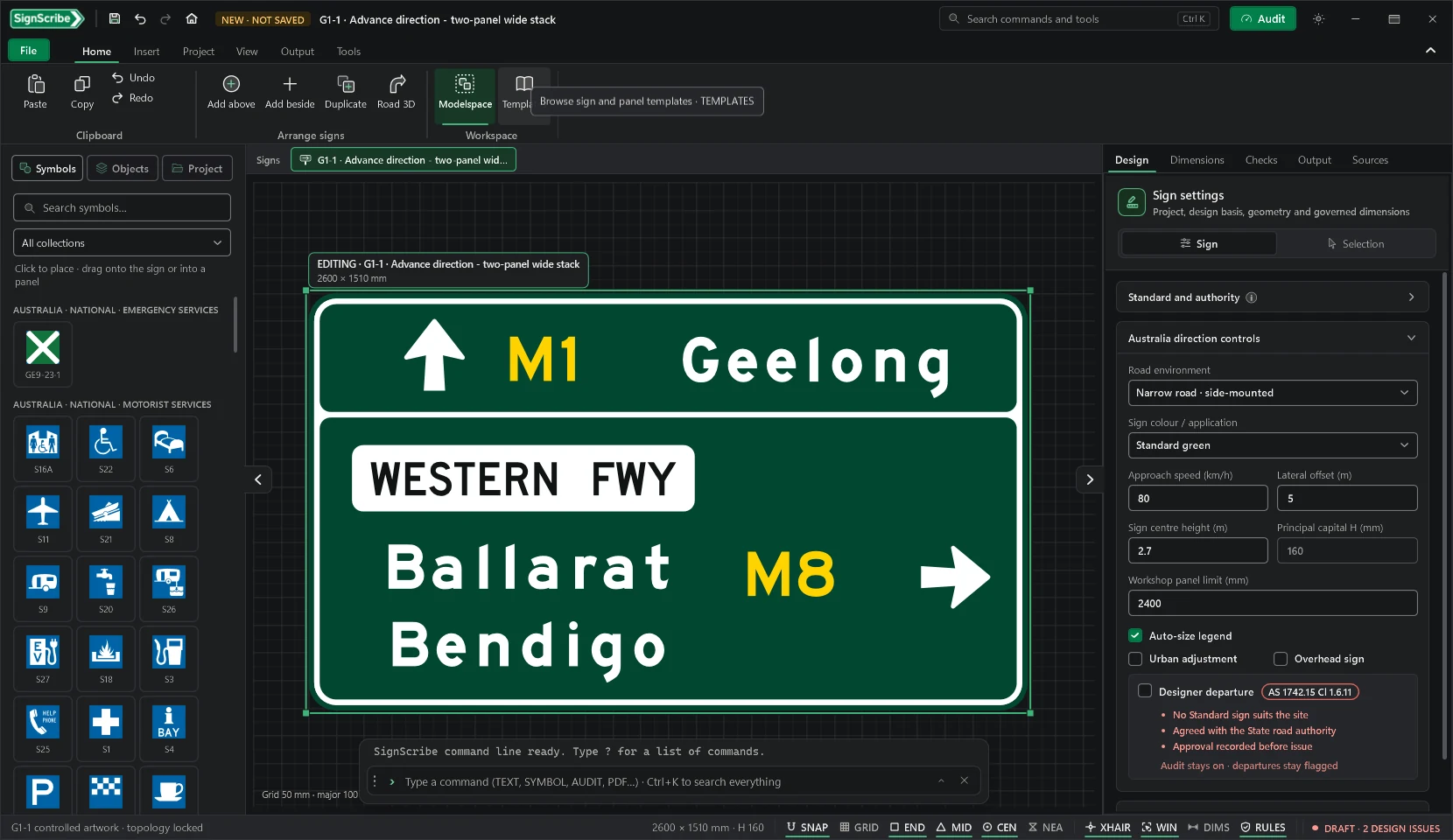
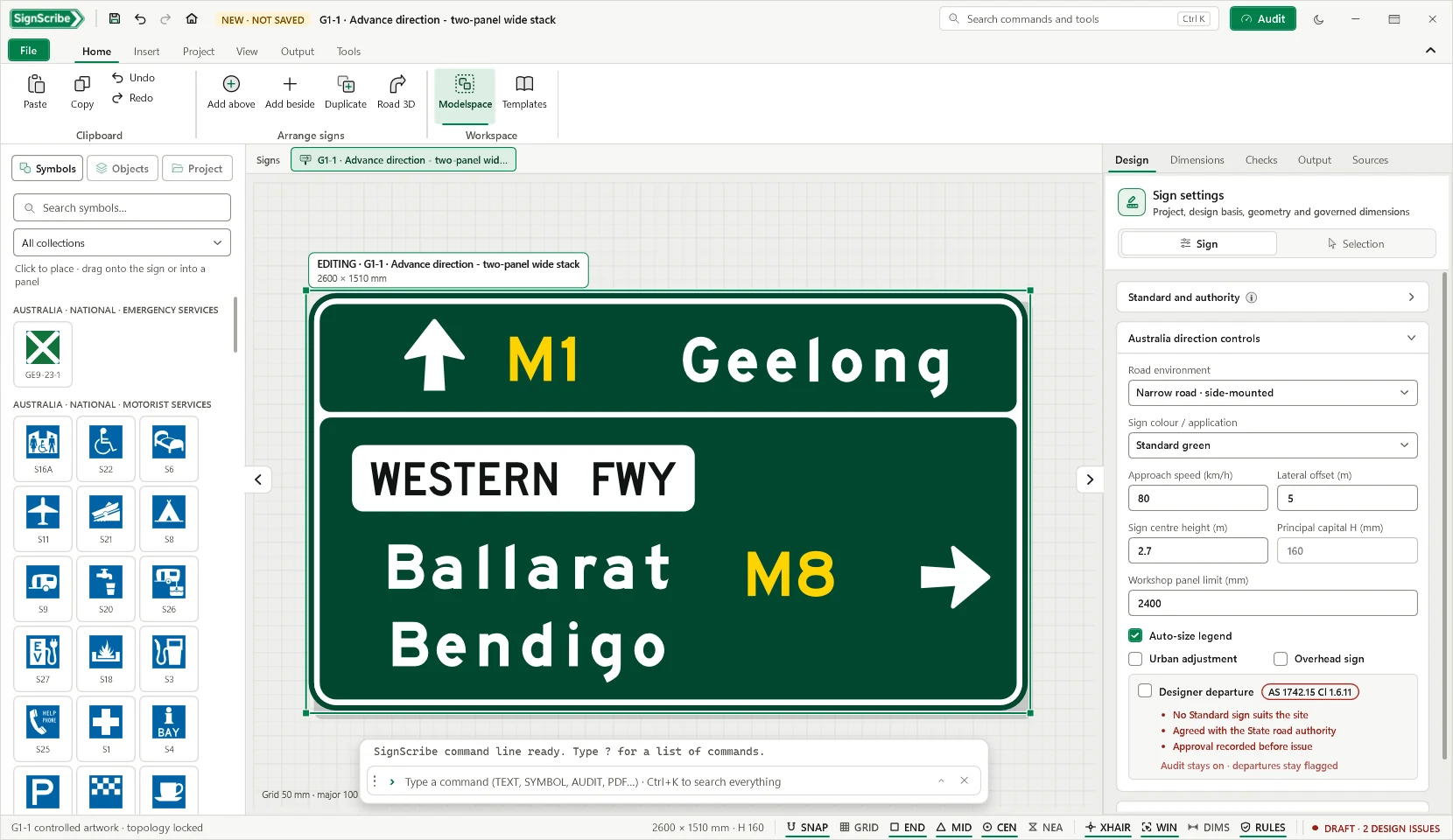
An Australian motorway advance direction sign: M1 Geelong, M8 Western Fwy to Ballarat and BendigoAn Australian motorway advance direction sign: M1 Geelong, M8 Western Fwy to Ballarat and Bendigo
New Zealand

The NZTA TCD Manual, in full.

  • NZ TCD Rule, TCD Manual and NZTA specifications
  • Advance direction maps and guide signs with state-highway shields
  • Māori place names with tohutō, set and measured correctly
  • NZ motorway VMS profiles and NZTA pixel alphabets
  • Airport signs to CAA Part 139 (AC139-6)
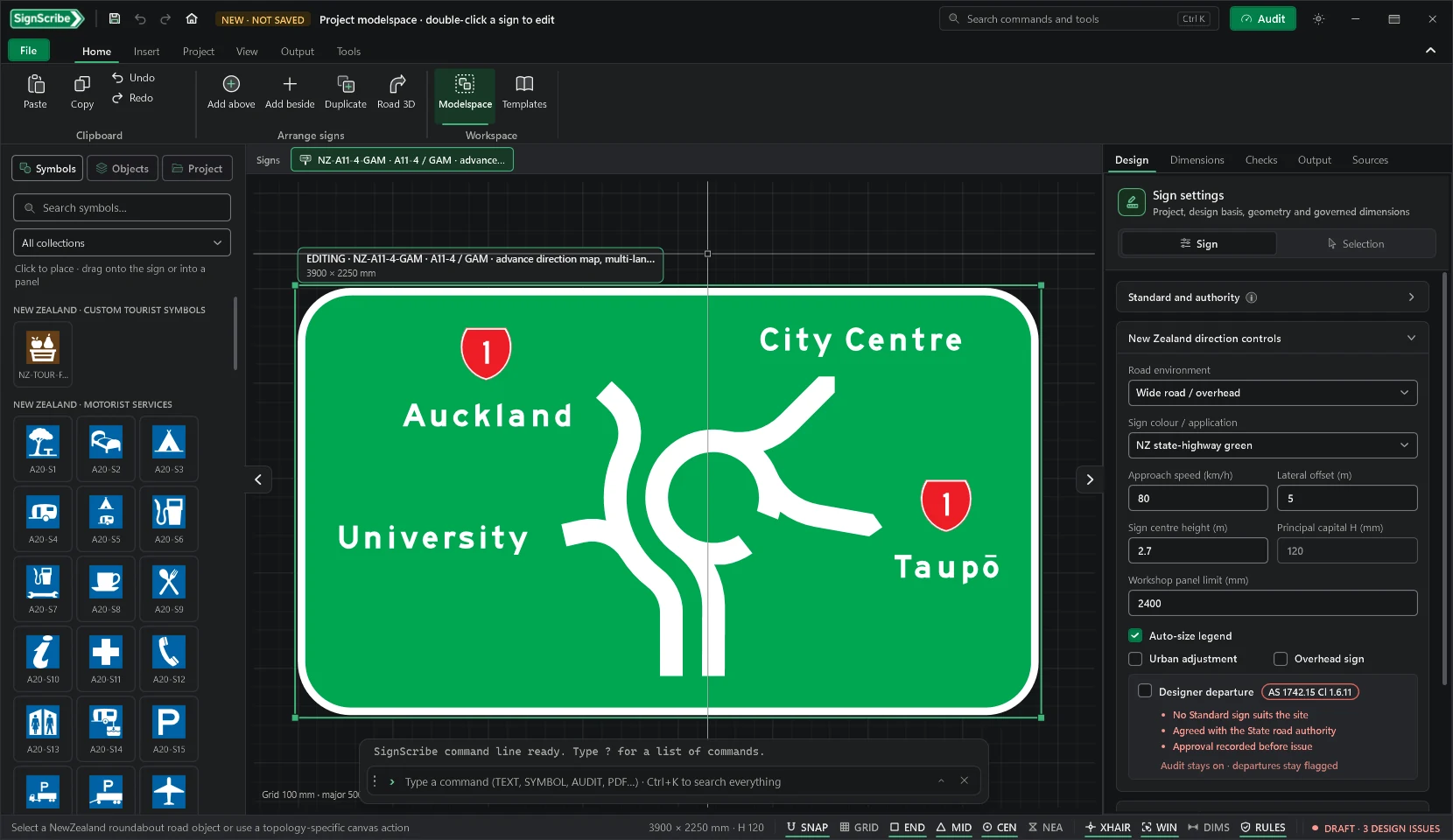
A New Zealand advance direction map: State Highway 1 to Auckland, Taupō and the City CentreA New Zealand advance direction map: State Highway 1 to Auckland, Taupō and the City Centre
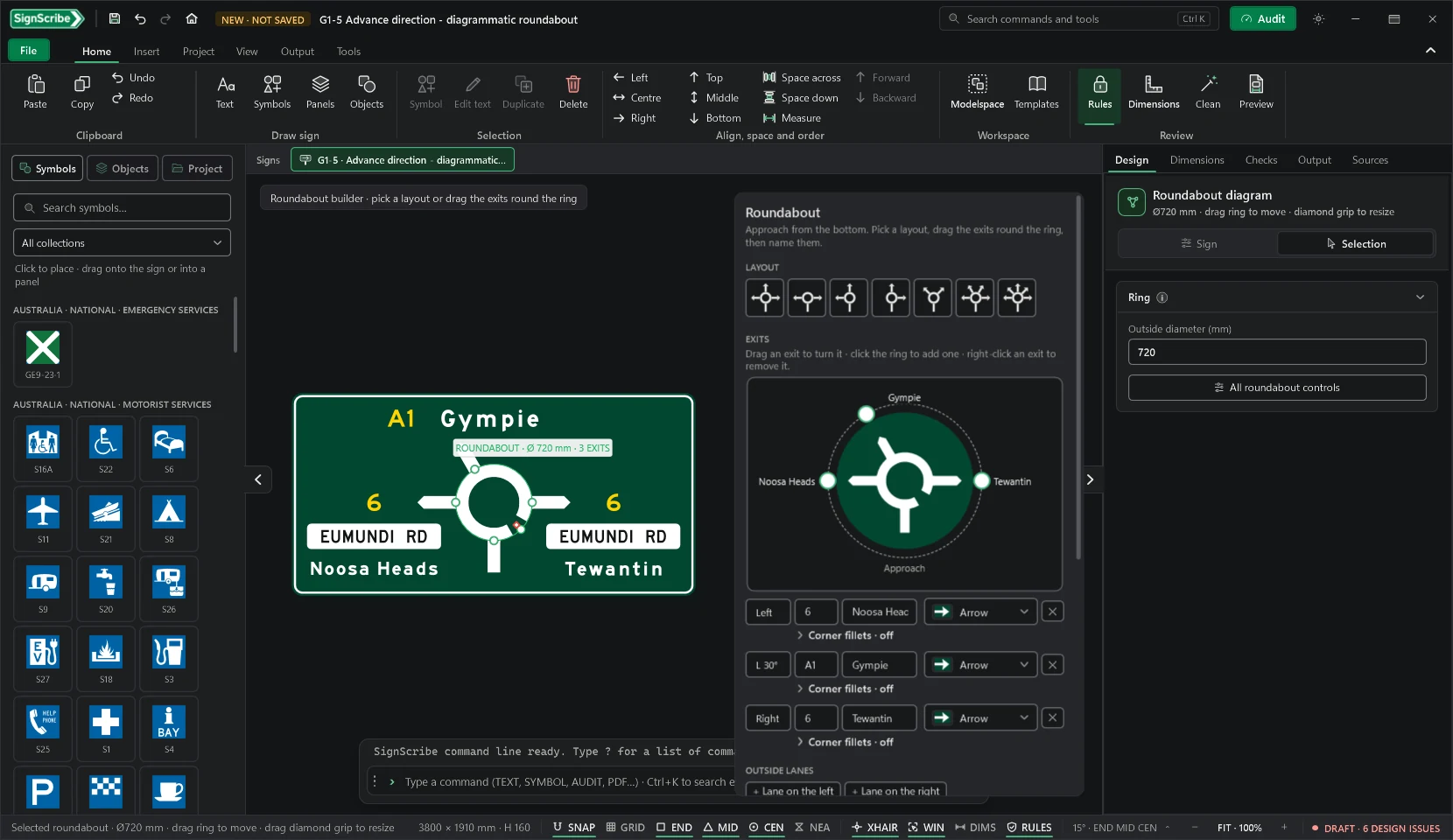
Roundabout builder

Build a roundabout in seconds.

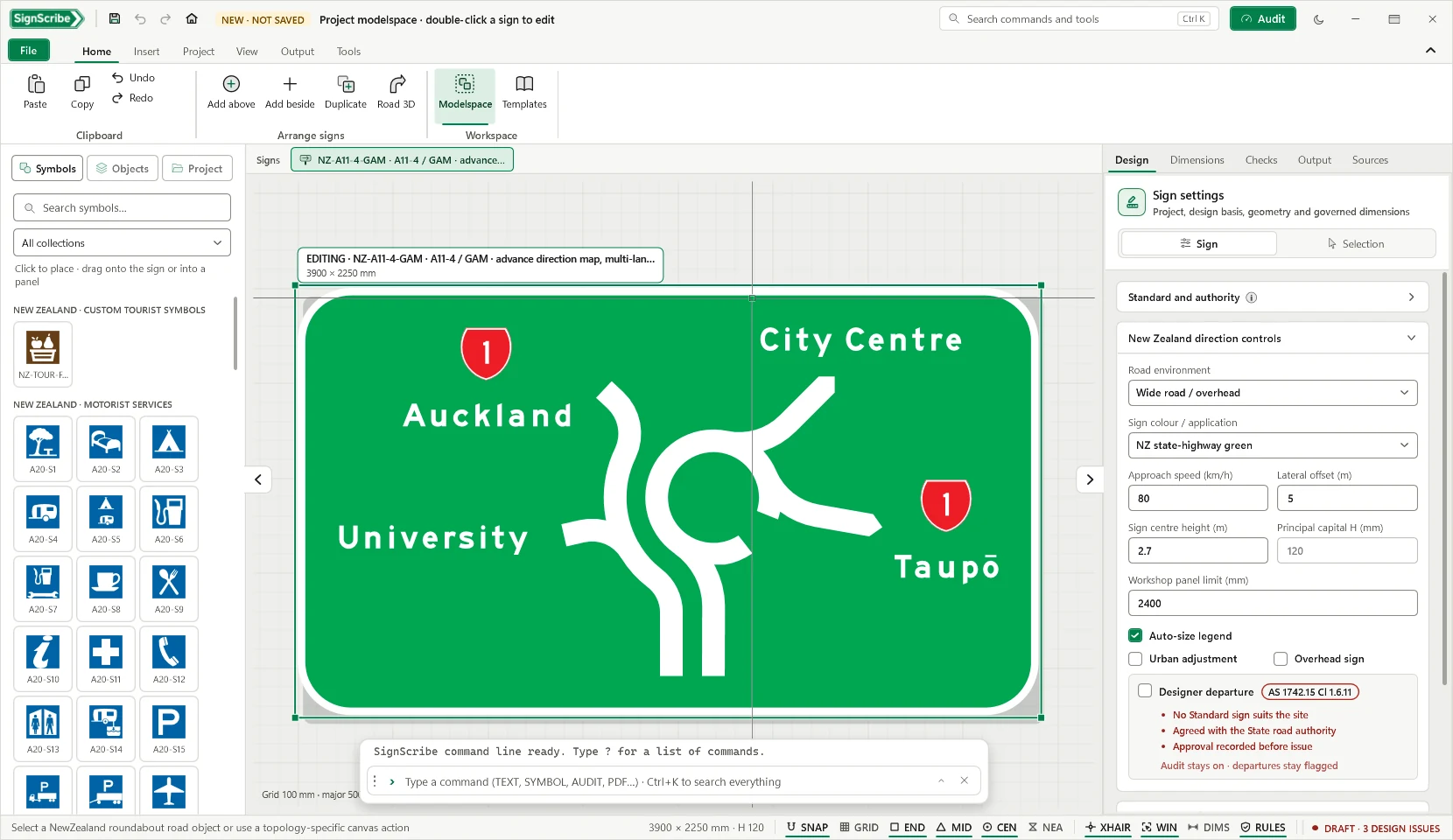
Pick a layout, then turn exits on the dial, roll the wheel over one, or type a direction such as L 30. The sign refits beside the builder as you go.

  • Exits keep 20° apart; a refused position shows in red with the reason
  • Right-click an exit to swap destinations or point it straight
  • Outside lanes, ring breaks and corner fillets from the same panel
  • Make linked signs for every other entrance in one click
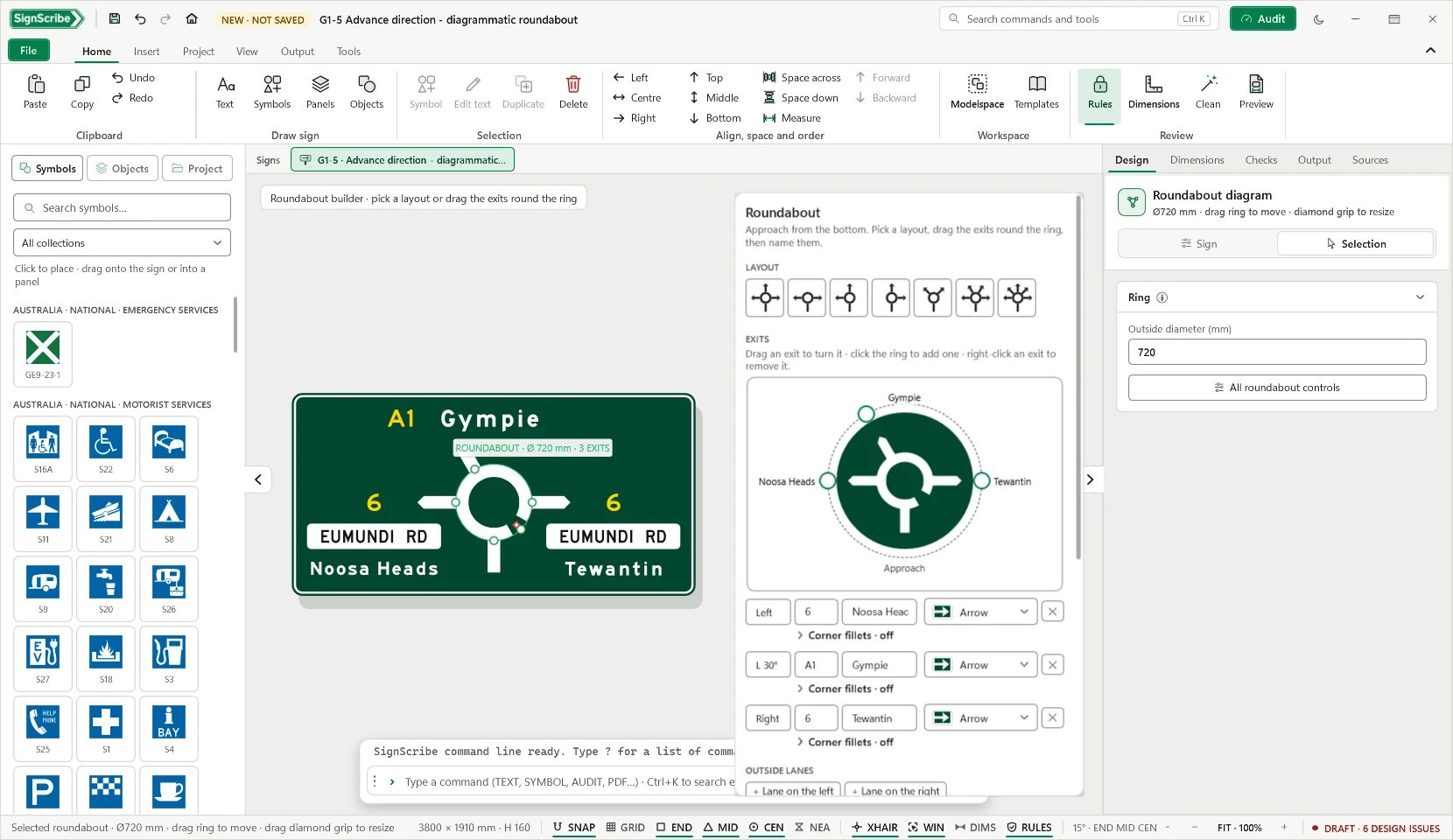
The roundabout builder docked beside a roundabout signThe roundabout builder docked beside a roundabout sign
Road lettering

Real road alphabets, measured.

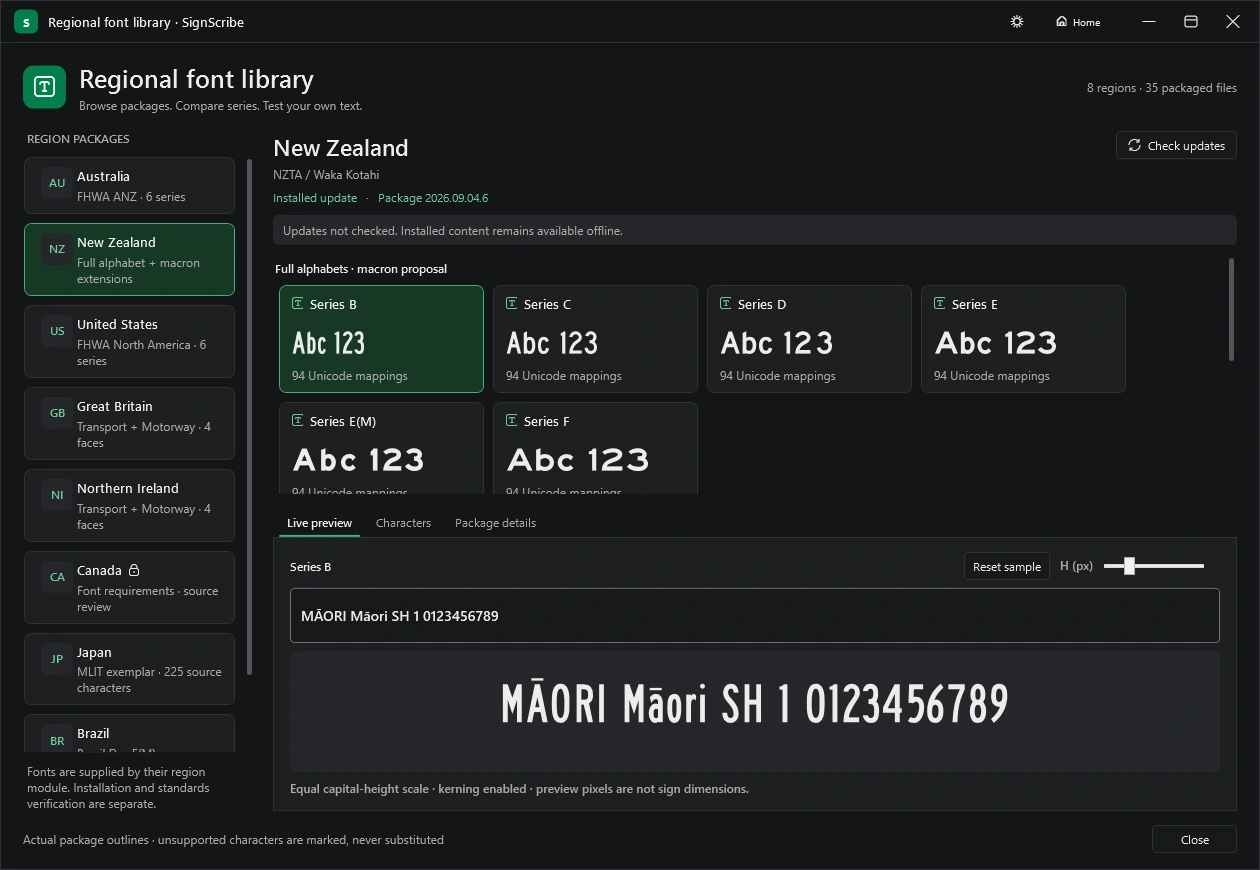
Legends are set from the outlines and advance widths of the road series, so the layout is the lettering you will fabricate. Māori place names keep their tohutō.

Series
B, C, D, E, E Modified and F
Macron vowels
Ā Ē Ī Ō Ū · ā ē ī ō ū
Output
Outlined lettering in PDF, SVG and CAD

The six series are included. To use them in other programs, the standalone ANZ font licence is a one-time purchase. Macron construction is a proposed extension; the project records its source.

Road-font specimen with Māori place names and macron vowels
Templates and symbols

Start from the library, not a blank page.

Every AS 1743 template and the national and state symbol sets, searchable by code or name. Drag a symbol onto the sign or into a panel.

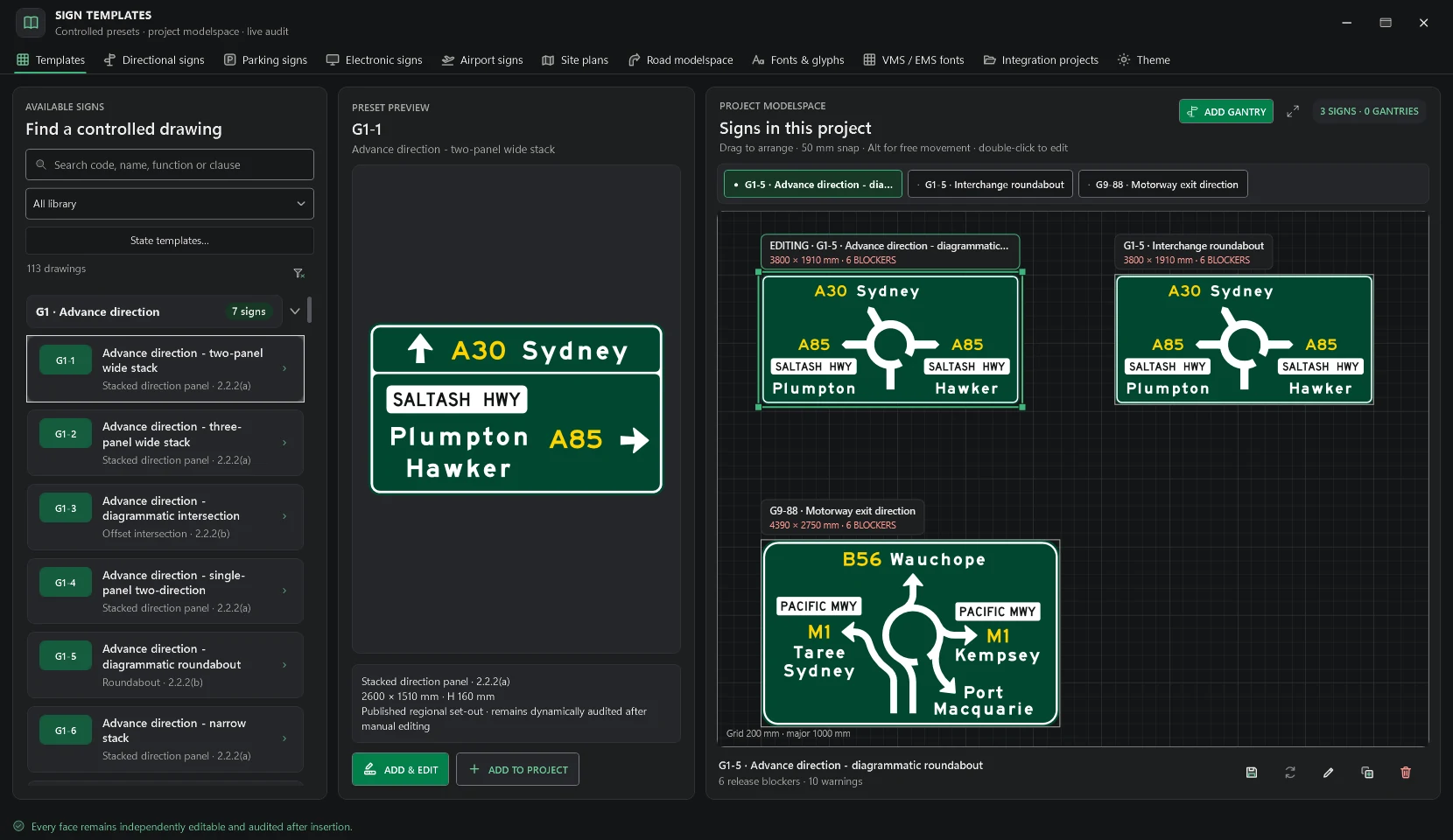
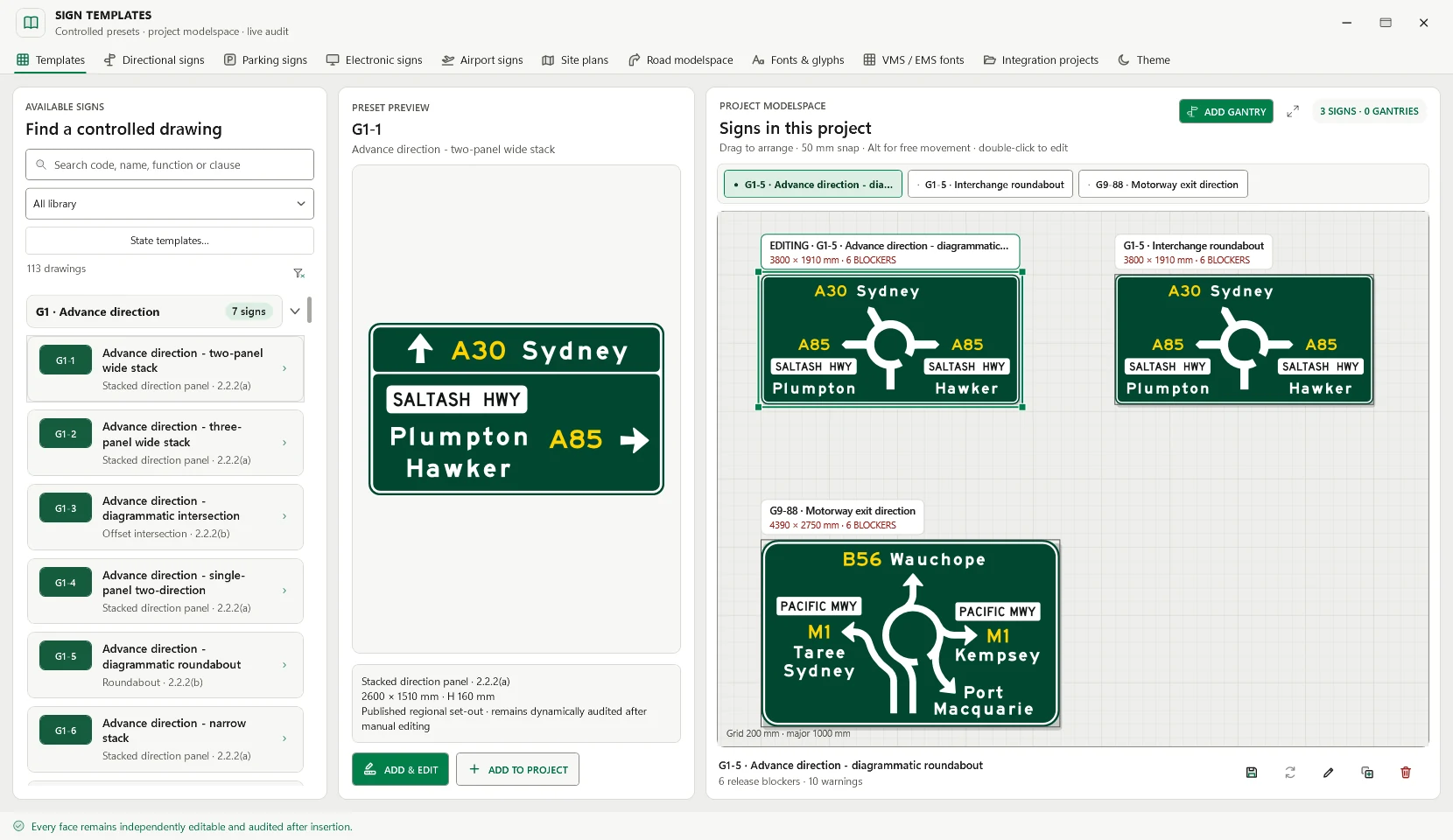
The template library with search and categoriesThe template library with search and categories
Template library
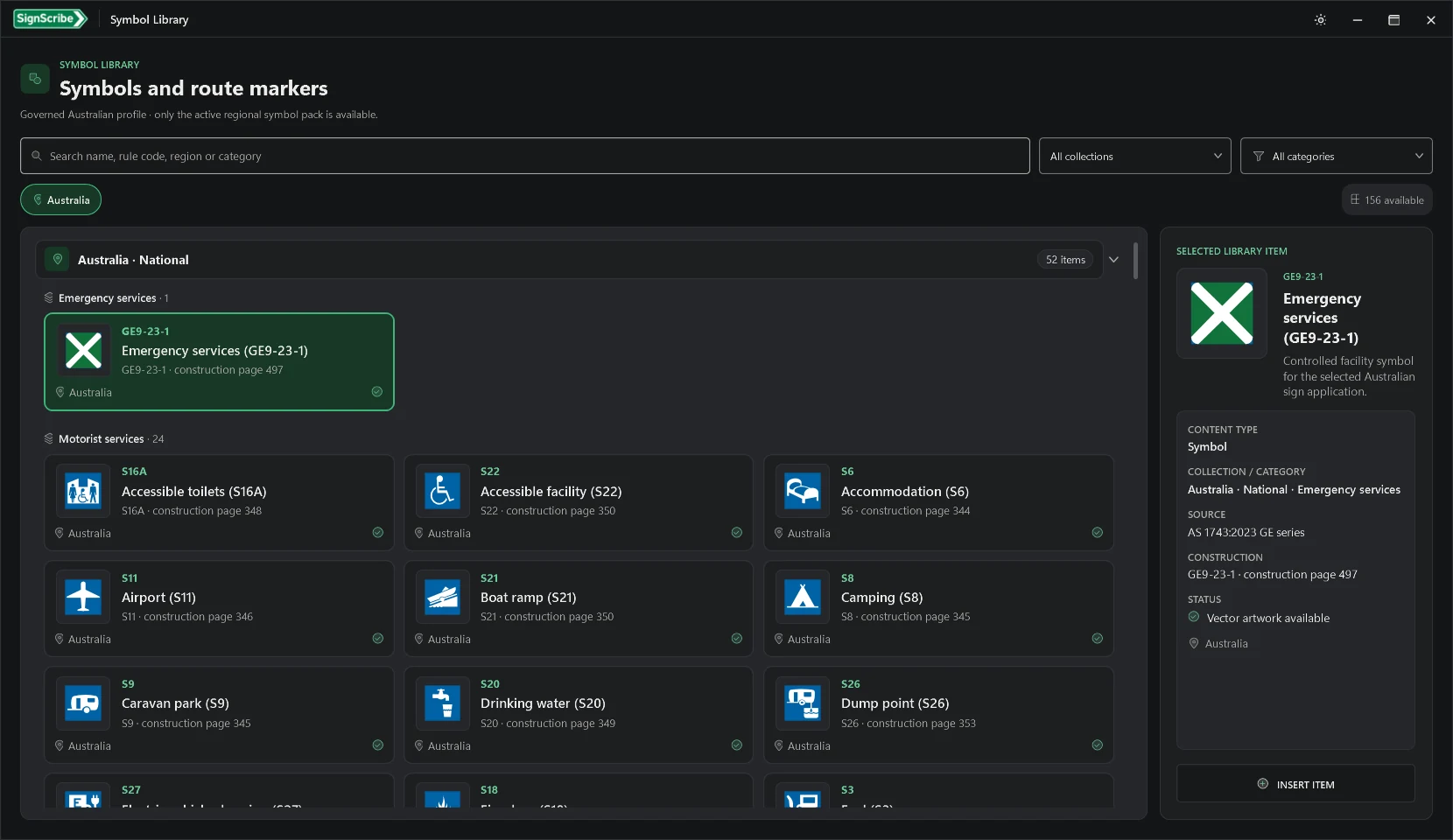
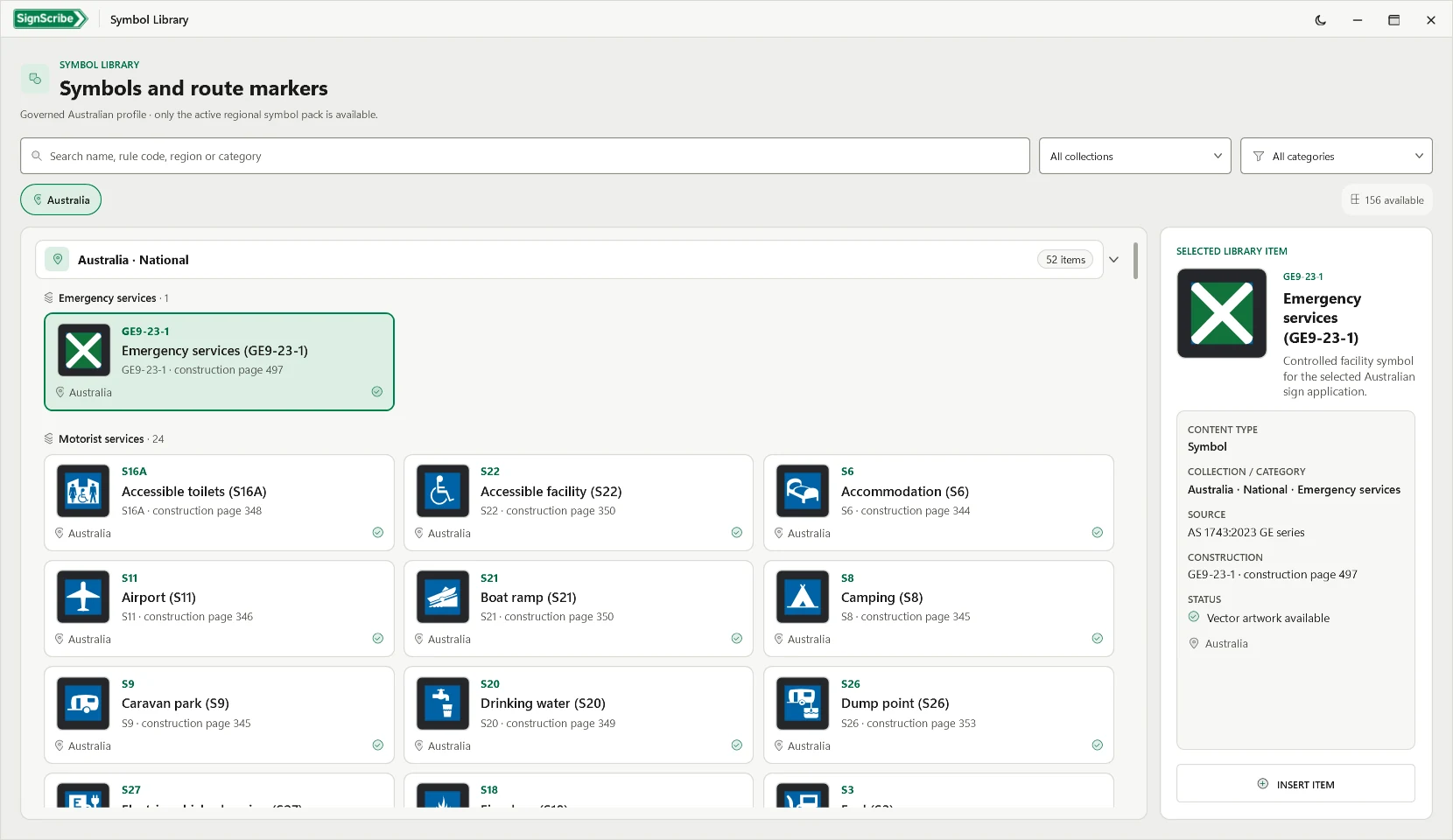
The symbol library with national and state symbol setsThe symbol library with national and state symbol sets
Symbol library
Construction output

The complete drawing set, from the design.

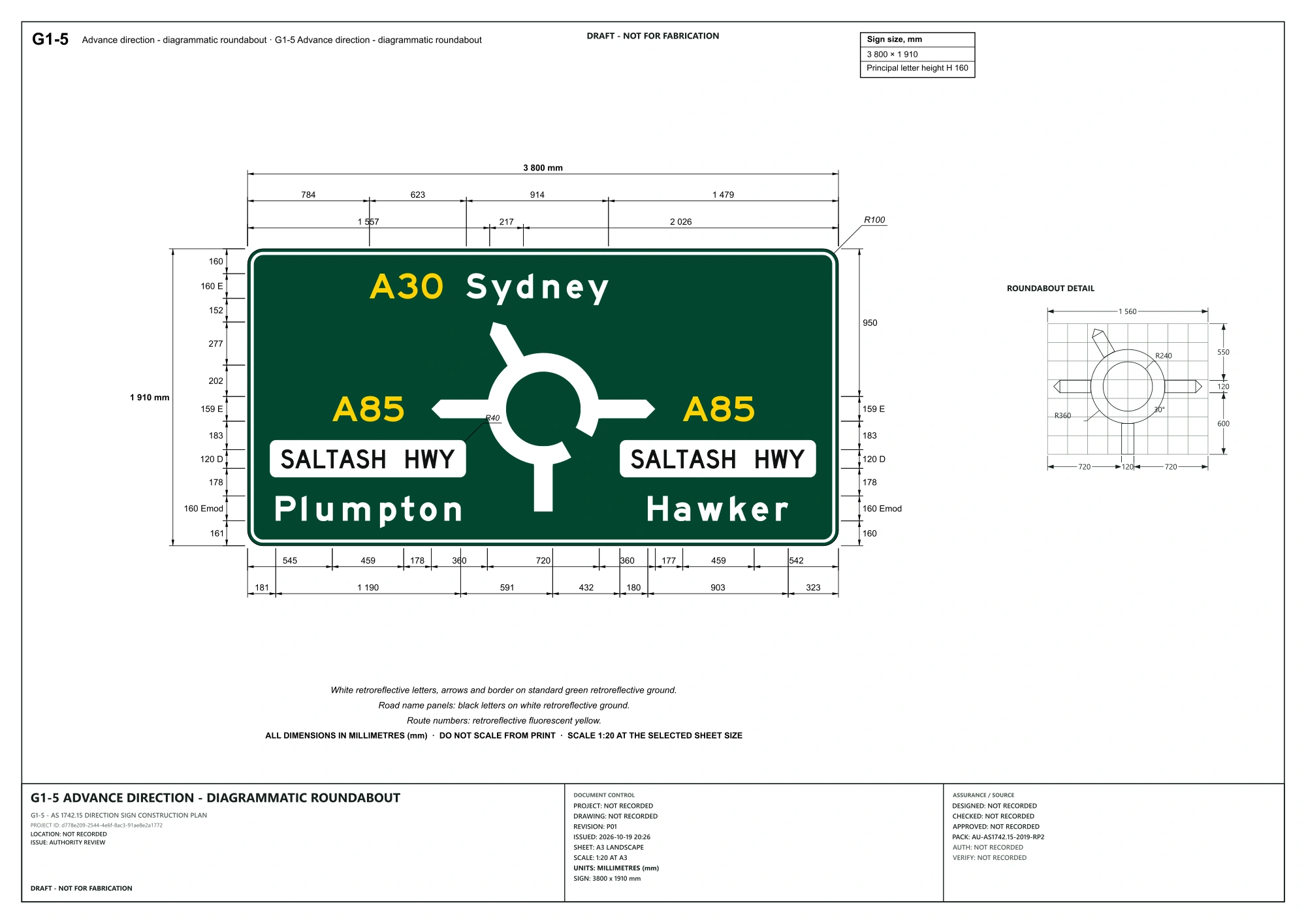
The construction PDF records the envelope, geometry, legend positions, scale and revision, followed by the fabrication and set-out schedule.

  • Construction PDF, outlined SVG, DXF and DWG
  • 1:1 production artwork and sheeting schedule
  • Issue package with a manifest of every file
  • Numbered design audit certificate when the audit passes
Download the G1-5 example set
Exported G1-5 A3 construction drawing, page 1 of 4
A3 construction set
CAD

Design and place signs in your CAD program.

SignScribe connects to AutoCAD 2025–2027, BricsCAD V26 and later, and XeraCAD. Every sign keeps its own project, so it can be reopened, edited and updated in the drawing.

AutoCAD 2025–2027

Native sign blocks

Run SIGNSCRIBE for the design pane, SSINSERT to place a sign at real units, and SSEDIT then SSUPDATE to change it. Placement, rotation, scale, layer and attributes are kept.

BricsCAD V26 and later

The same commands

One bridge for V26, V27 and later, with the SignScribe ribbon. Import desktop projects with SSIMPORT and audit placed signs with SSAUDIT.

XeraCAD

The full designer

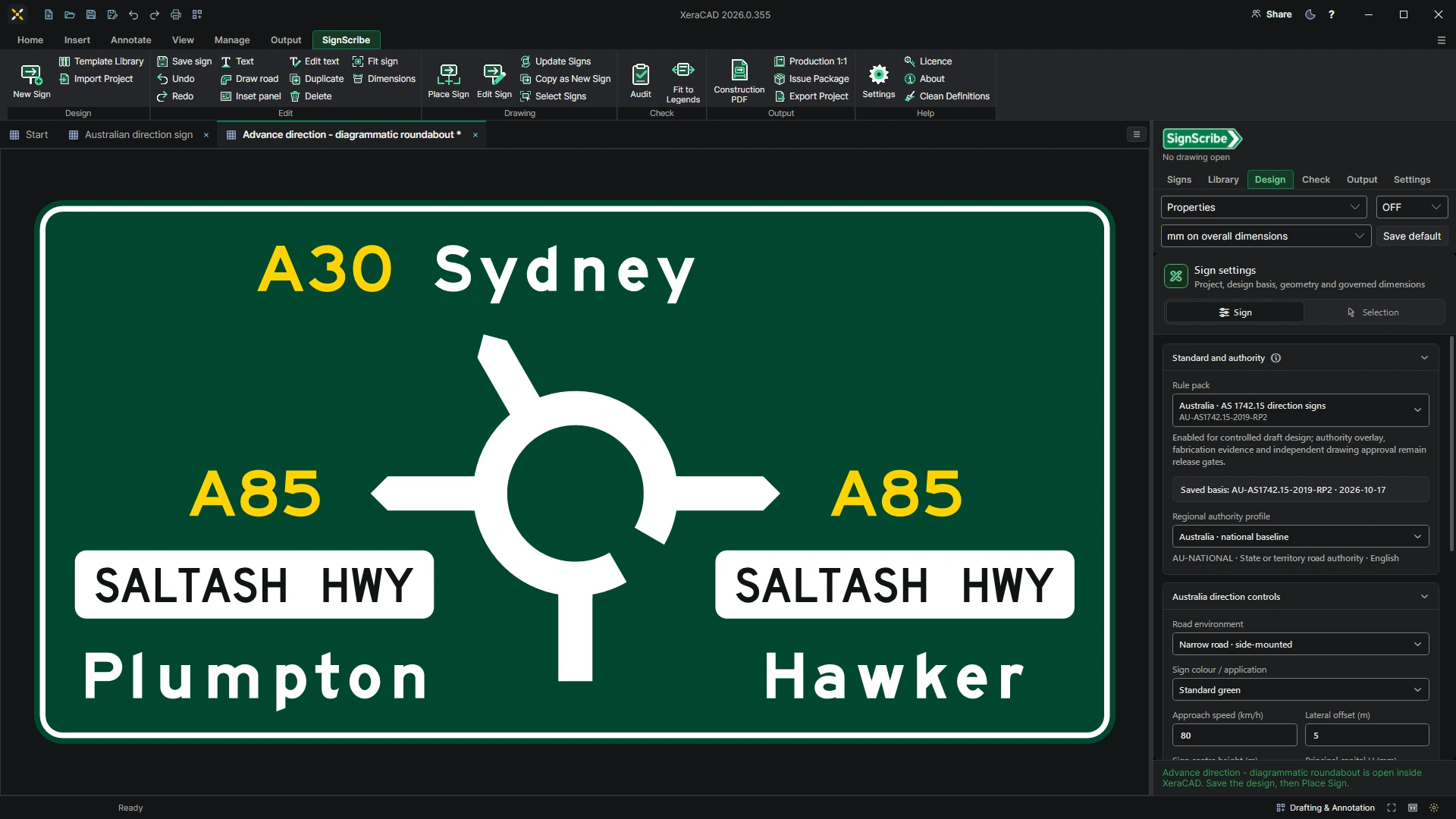
Signs open as document tabs with the SignScribe ribbon, inspector and native inline text editing, and SSUPDATE rebuilds them with the current engine.

SignScribe designing a sign inside XeraCAD
Designing a sign inside XeraCAD

The bridge installs per Windows user without administrator rights. A licensed CAD program is required separately. DWG files are written through AutoCAD Core Console when it is installed.

Electronic Sign Message Studio

Compose messages on the real pixel matrix.

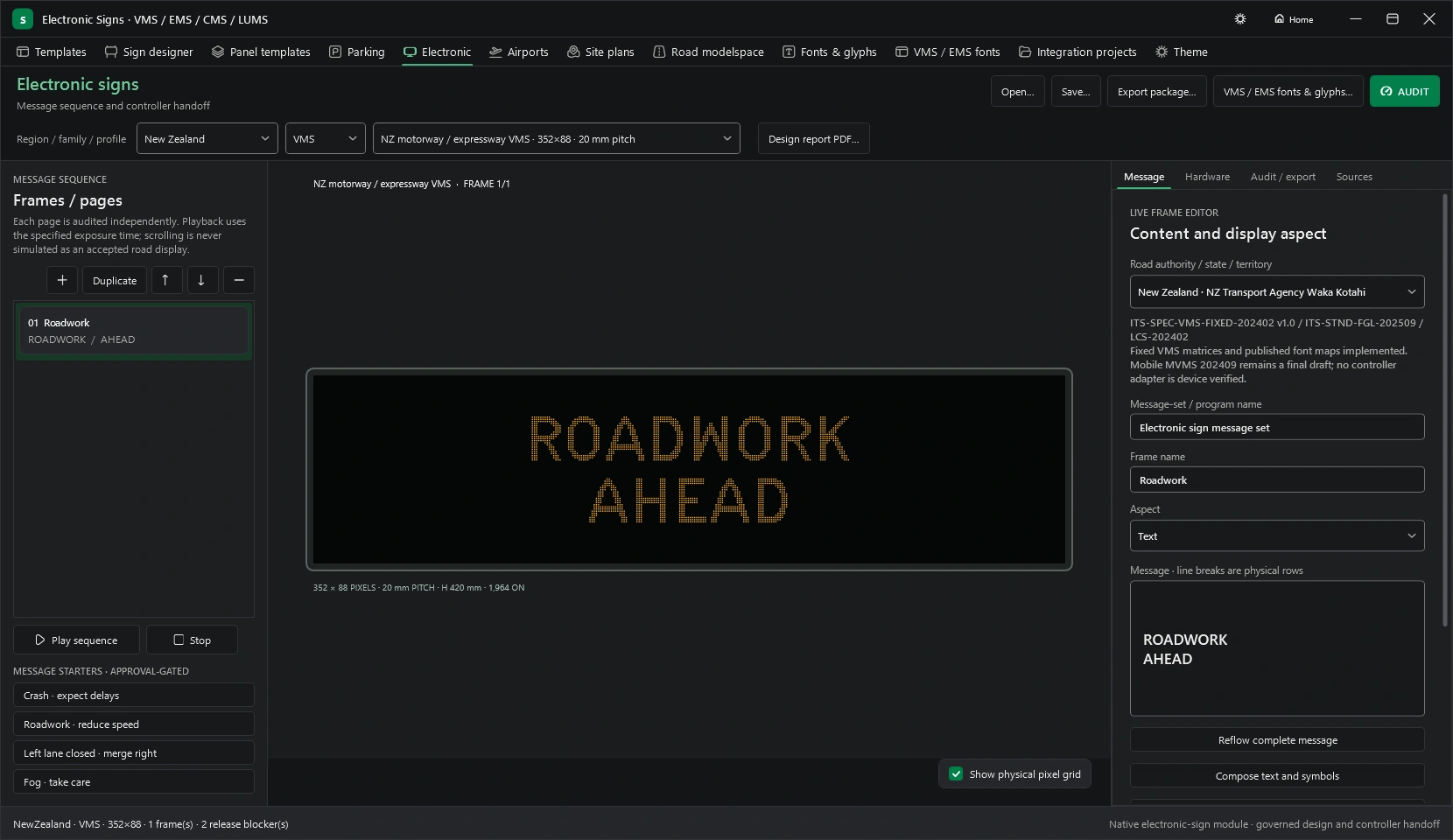
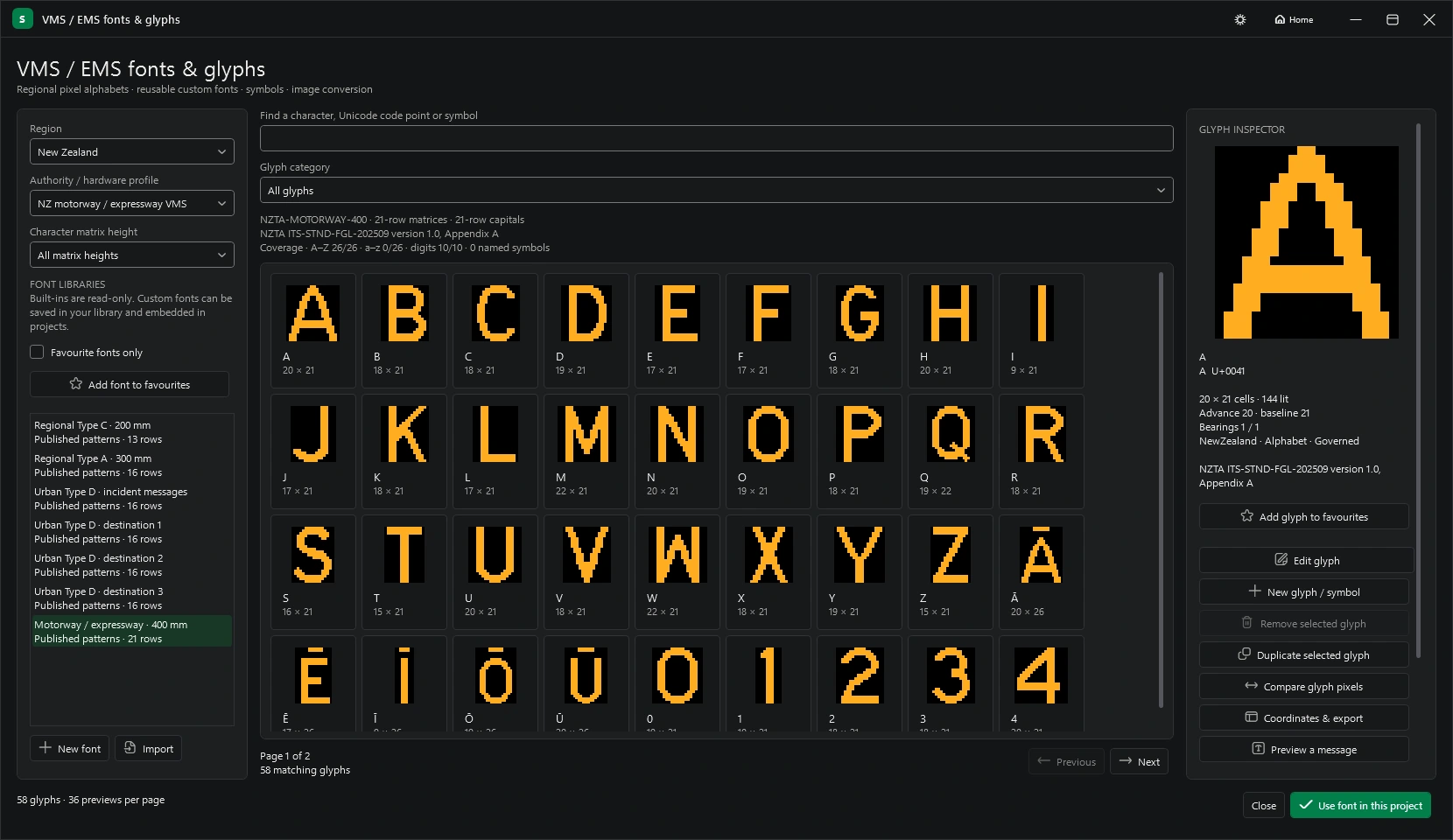
Choose the device and pixel alphabet, write each frame, and see the exact raster the sign will show. Text that does not fit is reported at the device dimensions.

Electronic Sign Message Studio with a motorway VMS message
Message editor: device profile, frame sequence, pixel matrix and checks.
A VMS pixel alphabet with glyph inspector
Pixel alphabets: inspect every glyph and its source, cell by cell.
Airport Sign Systems

Airside guidance signs, designed and checked.

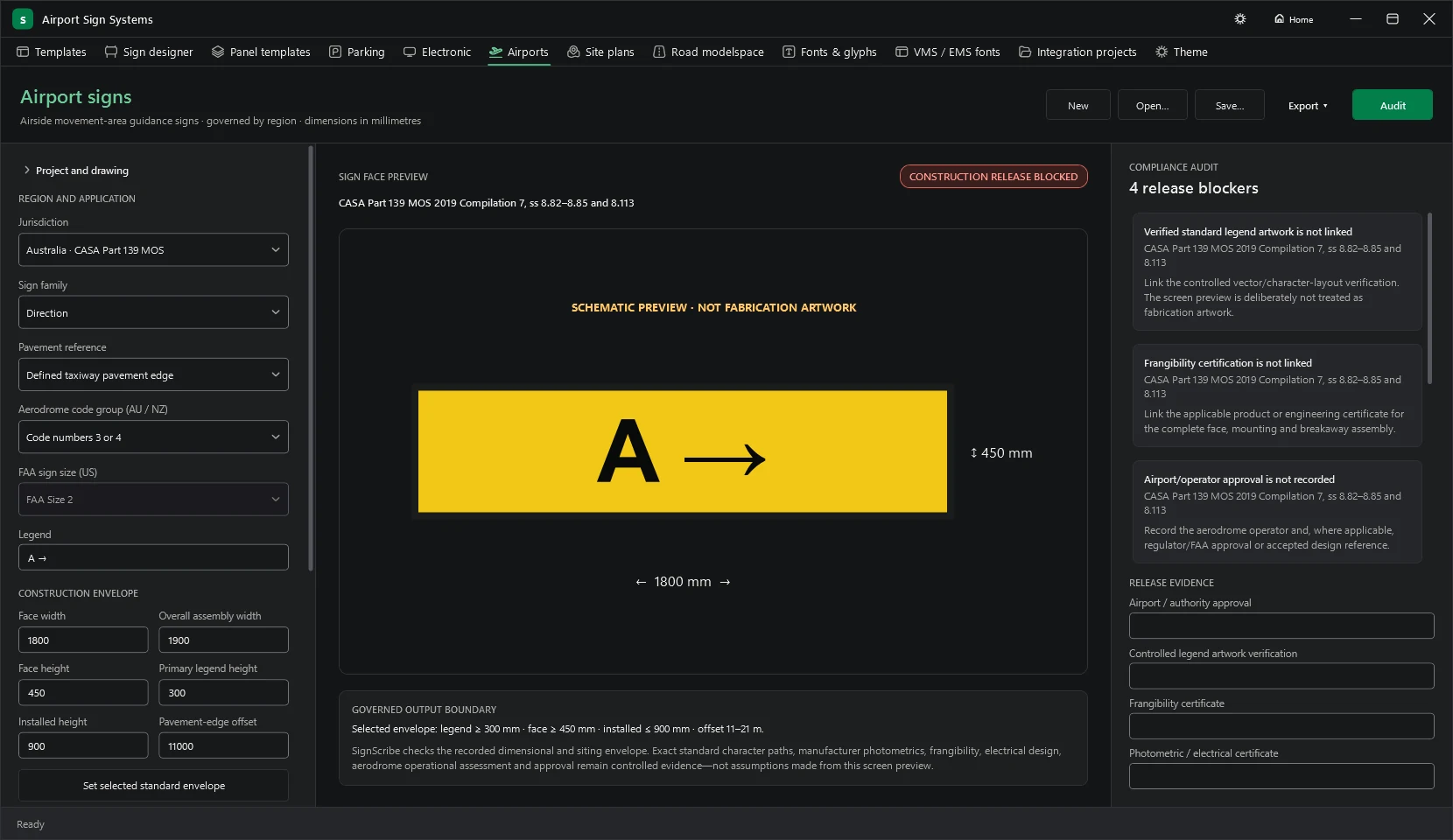
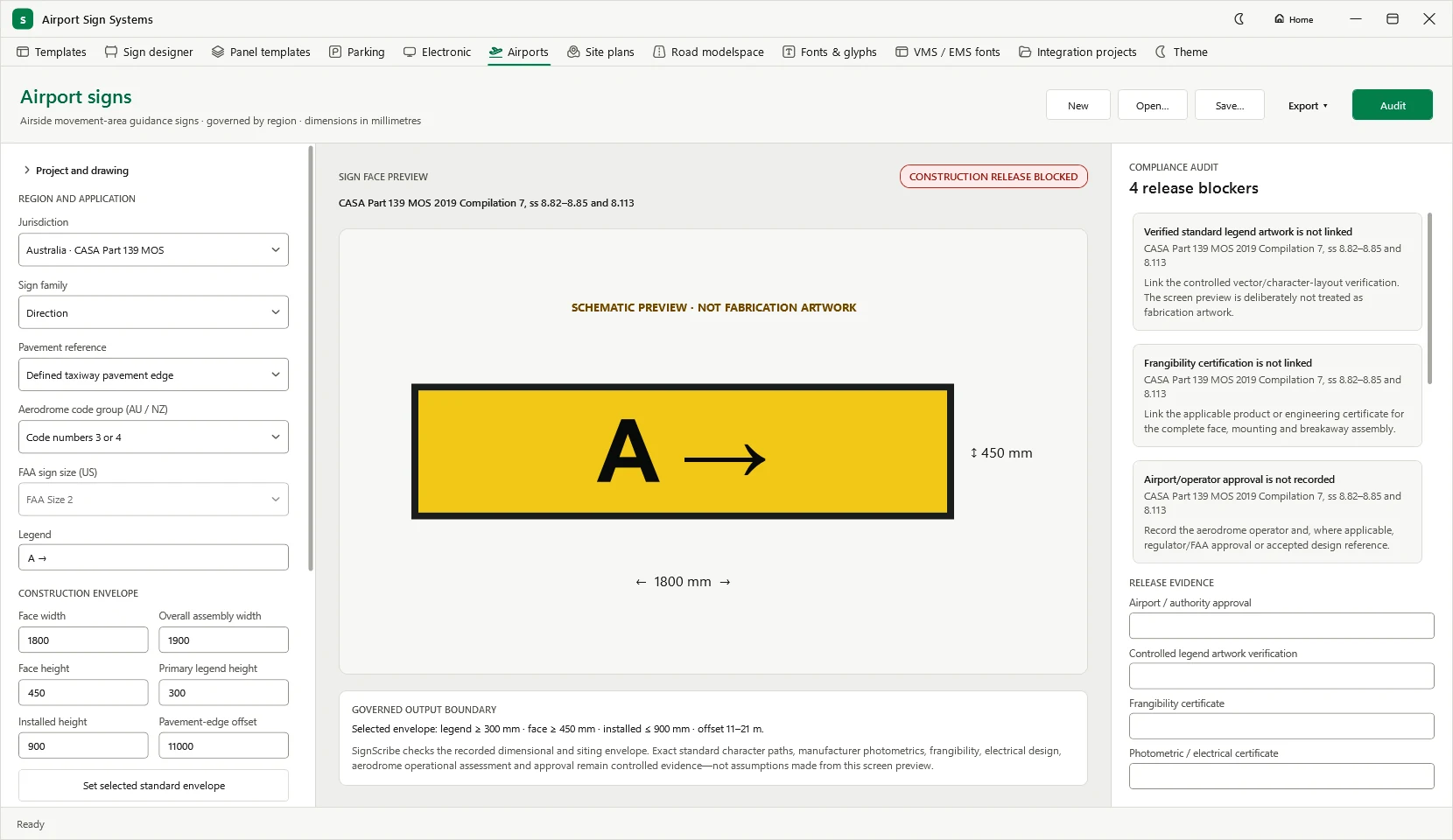
Design movement-area signs for Australian, New Zealand and US aerodromes. Every value is yours to set, and the audit checks it against the regional envelope clause by clause before construction is released.

Everything on the sign is editable

  • Eleven sign families: mandatory instruction, location, direction, destination, information, boundary, runway exit, runway distance remaining, one-half distance remaining, LAHSO distance-to-go and vehicle roadway holding
  • Your legend, legend height, face height and width
  • Installed height, offset from the pavement edge, support and frangible point
  • Aerodrome code group 1–2 or 3–4, or the FAA sign size
  • Illumination, split assemblies and one-side installations
Airport Sign Systems: a sign face with its dimensions and the clause-by-clause auditAirport Sign Systems: a sign face with its dimensions and the clause-by-clause audit
Regional envelopes

Australia, New Zealand, United States

CASA Part 139 MOS 2019 ss 8.82–8.85, 8.99 and 8.113; NZ CAA AC139-6 Rev 8; FAA AC 150/5340-18H. One click resets a sign to its profile's standard envelope.

LAHSO

A structured LAHSO legend

Distance to the hold-short line at 300, 600 or 900 m, the intersecting runway designation, side and the complete installation set, each a release check.

Release

Audit, evidence and drawings

Each finding names its clause and highlights its field. Record approval and frangibility evidence, then export an A1 or A3 construction PDF or an outlined SVG stamped with the release status.

Ready to try it on your signs?

Ask for a trial or a demonstration, or see the yearly and perpetual prices.

Contact

Talk to the SignScribe team.

Ask for a demonstration or a trial, or tell us about a project.

Fields marked * are required. Do not include passwords, licence keys or confidential project data. Sending opens your email program with the enquiry ready to send.

Enter your name.
Enter a valid email address.
Enter a subject.
20 to 4,000 characters.Write at least 20 characters.